
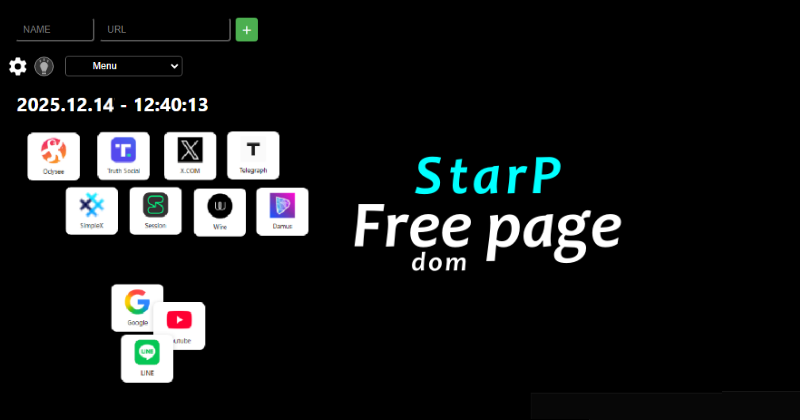
ヘッダー画像

About StarP

ツールイメージ
日本語

誰でも自由に使える 使いやすいスタートページ

StarP は、あなたがよく使うサイトを登録して、自由に並べられるスタートページです。
普段の、お気に入りのサイトへスムーズにアクセスできます。

  • サイトを追加・移動・削除できる
  • 登録サイトアイコンは、自由に移動可能
  • ダークテーマと明るいテーマを切り替え可能
  • PCでもスマホでも快適に操作
  • シンプルで、あなたの使い方に合わせてカスタマイズできます。

ブラウザ内に設定を保存
→ サイトの追加・配置情報は localStorage を使用
(クッキーは一切使用していません)

English

An easy-to-use start page that anyone can use freely.

StarP is a customizable start page where you can register your favorite websites and arrange them freely.
Access your go-to sites quickly and seamlessly.

  • Add, move, or delete websites
  • Drag and drop site icons freely
  • Switch between dark and light themes
  • Optimized for both PC and smartphone
  • Simple, clean, and fully customizable to suit your workflow

Settings saved locally in your browser
→ Site list and layout are stored using localStorage
(No cookies are used at all)

How to Use 使い方

使い方イメージ
日本語

StarPは直感的に操作できるスタートページです。

  • 右上の「+」ボタンでサイトを追加
  • アイコンをドラッグして好きな位置に移動
  • アイコンを長押し(または右クリック)で削除
  • テーマは自動で切り替わるか、手動で設定可能

初めての方も、1分で使いこなせます。

English

StarP is an intuitive start page that’s easy to use.

  • Add sites using the “+” button in the top-right
  • Drag icons to rearrange them as you like
  • Hold (or right-click) an icon to delete it
  • Themes switch automatically or can be set manually

Even first-time users can master it in under a minute.

Settings 設定

設定イメージ
日本語

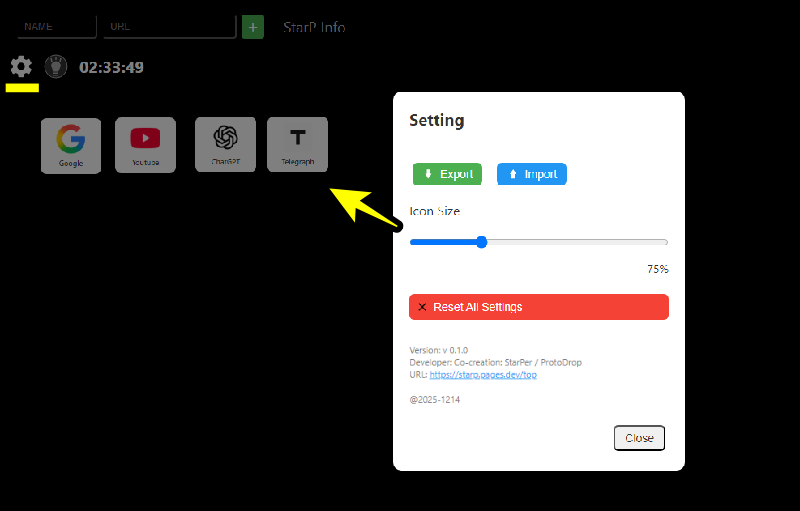
?? 設定のバックアップ&別環境への設定移行
→ 歯車アイコン(Settings)を開き、「Export」をクリック
→ 「StarP_Settings.json」ファイルがダウンロードされます
→ 別の環境で同じ設定を使うには、同じメニューの「Import」から「StarP_Settings.json」をアップロード

StarPの初期化
右上の ?? Settings(歯車アイコン)をクリック
下部にある「Reset All Settings」ボタンをクリック
→ 自動で localStorage の全データが削除され、ページが初期状態に戻ります
→ これで完全に、あなたのブラウザからStarPページの設定が完全に消去されます

English

?? Backup & Transfer Settings to Another Device
→ Click the gear icon (Settings), then click “Export”
→ Download the “StarP_Settings.json” file
→ To use the same settings on another device, go to “Import” in the same menu and upload the “StarP_Settings.json” file

Reset StarP to Default
Click the ?? Settings icon in the top-right corner
Scroll down and click “Reset All Settings”
→ All data in localStorage will be deleted automatically, and the page will revert to its initial state
→ This completely removes all StarP settings from your browser